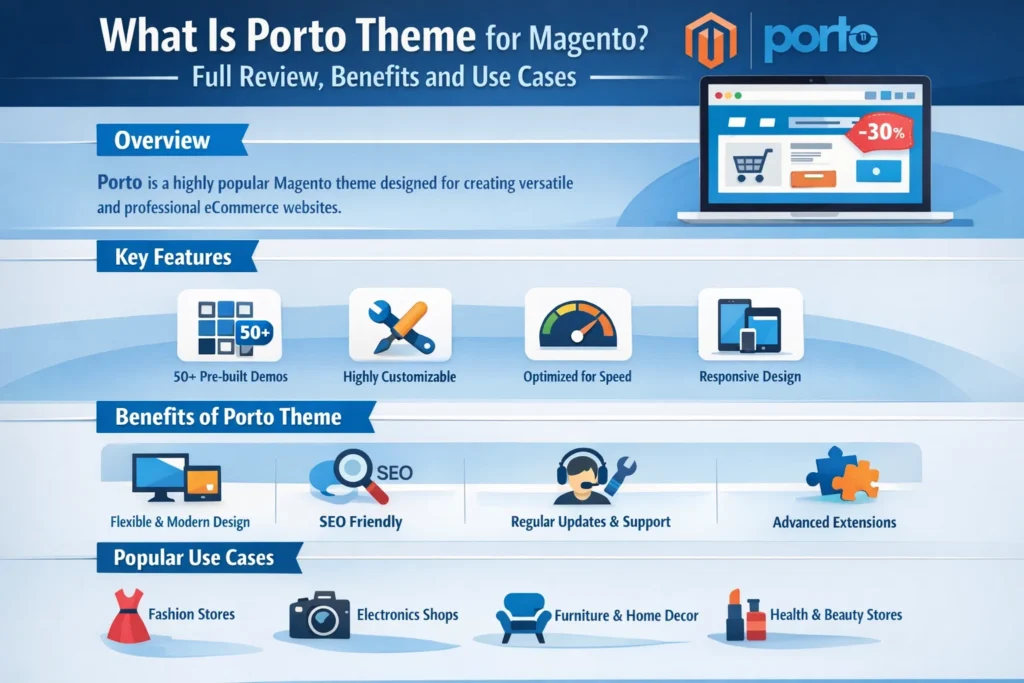

Choosing the right theme is one of the most critical decisions when building a successful Magento e-commerce store. A theme not only determines the visual appearance of your website but also impacts performance, user experience, SEO, and conversions. Among the many premium Magento themes available today, Porto Theme for Magento stands out as one of the most powerful, flexible, and widely used options.
Porto is a multipurpose Magento theme designed to suit a wide range of online stores—from small niche shops to large enterprise-level e-commerce businesses. Known for its speed optimization, rich customization options, and modern design, Porto has become a preferred choice for Magento store owners and developers worldwide.
This in-depth guide explores what Porto Theme for Magento is, its key features, benefits, customization options, performance capabilities, SEO advantages, and why it remains a top choice for Magento users.
What Is Porto Theme for Magento?
Porto Theme for Magento is a premium, responsive Magento theme developed to provide a high-performance, visually appealing, and highly customizable e-commerce experience. It supports both Magento Open Source and Adobe Commerce (Magento Commerce) versions.
Porto is designed with flexibility in mind, allowing store owners to create unique storefronts without heavy coding. It offers multiple demos, layouts, header styles, and customization tools that cater to various industries such as fashion, electronics, furniture, automotive, cosmetics, and more.
What makes Porto different from many other Magento themes is its strong focus on:
Speed and performance
Clean and modern UI/UX
Scalability for growing businesses
Developer-friendly structure
Why Porto Theme Is Popular Among Magento Users
Porto has maintained its popularity over the years because it addresses common challenges faced by Magento store owners.
Key Reasons for Its Popularity
Lightweight and optimized code
Extensive customization options
Mobile-first responsive design
SEO-friendly structure
Regular updates and long-term support
Compatibility with major Magento extensions
These qualities make Porto suitable for both beginners and experienced Magento developers.
Core Features of Porto Theme for Magento
- High Performance and Speed Optimization
Performance is a critical factor in e-commerce success. Porto Theme is built with speed optimization as a priority.
Key performance features include:
Optimized CSS and JavaScript
Lazy loading for images
Minimal DOM structure
Compatibility with caching tools
Support for Magento’s built-in performance features
These optimizations help reduce page load times, improve user experience, and boost search engine rankings.
- Fully Responsive and Mobile-First Design
With mobile traffic dominating e-commerce, Porto is designed using a mobile-first approach.
Benefits include:
Smooth performance on smartphones and tablets
Adaptive layouts for different screen sizes
Touch-friendly navigation and UI elements
Improved mobile conversion rates
A responsive design ensures your Magento store looks professional and functional on all devices.
- Multiple Demo Layouts and Store Designs
Porto comes with a wide range of pre-built demo layouts that can be imported easily.
These demos cover:
Fashion and apparel stores
Electronics and gadgets
Furniture and home décor
Automotive and tools
Beauty and cosmetics
Minimal and modern storefronts
This allows store owners to launch quickly without starting from scratch.
- Advanced Theme Customization Options
Porto offers extensive customization options through the Magento admin panel.
Customization features include:
Layout and page structure controls
Header and footer customization
Color schemes and typography settings
Product page layout variations
Category page display options
Most changes can be made without writing custom code, making Porto beginner-friendly.
- Powerful Header and Navigation Styles
Navigation plays a major role in usability and conversions.
Porto provides:
Multiple header styles
Sticky headers
Mega menu support
Dropdown and vertical menus
Custom menu icons and labels
These features help create a smooth browsing experience and improve product discovery.
Porto Theme and Magento Compatibility
Porto is compatible with:
Magento Open Source
Adobe Commerce (Magento Commerce)
Latest Magento versions (with regular updates)
It also integrates smoothly with popular Magento extensions such as:
Page builders
SEO plugins
Payment gateways
Shipping modules
Marketing and analytics tools
This compatibility ensures long-term usability and scalability.
SEO Benefits of Porto Theme for Magento
Search engine optimization is essential for organic traffic growth. Porto Theme is built with SEO best practices in mind.
SEO-Friendly Features
Clean and semantic HTML structure
Fast page loading speed
Mobile-friendly design
Optimized heading hierarchy
Schema and rich snippet compatibility
Easy integration with Magento SEO extensions
These features help improve visibility on search engines like Google and Bing.
User Experience (UX) and Conversion Optimization
Porto is designed not just to look good but to convert visitors into customers.
UX and CRO Benefits
Clear call-to-action buttons
Optimized product pages
Quick view and AJAX add-to-cart
Wishlist and compare features
Smooth checkout experience
A well-designed UX reduces bounce rates and increases sales.
Customization for Developers
For developers, Porto offers a clean and well-structured codebase.
Developer-friendly features include:
Modular architecture
LESS and CSS customization
Child theme support
Clear documentation
Easy override system
This allows developers to extend and customize the theme efficiently without breaking core functionality.
Porto Theme for Different Types of Online Stores
Fashion and Apparel Stores
Elegant layouts
Product image galleries
Color and size swatches
Electronics Stores
Feature-rich product pages
Technical specification layouts
Comparison tools
Furniture and Home Decor
Large image displays
Clean category layouts
Visual storytelling support
Multi-Vendor or Large Stores
Scalable performance
Flexible navigation
Advanced filtering options
Porto adapts easily to various business models.
Performance Comparison: Porto vs Other Magento Themes
Compared to many heavy Magento themes, Porto is known for its balance between features and performance.
Porto Advantages
Faster load times
Cleaner code structure
Better mobile optimization
Fewer unnecessary scripts
This makes Porto suitable for stores that prioritize speed and user experience.
Installation and Setup Process
Installing Porto Theme on Magento is straightforward.
General steps include:
Uploading theme files
Activating the theme in Magento admin
Importing demo content (optional)
Configuring theme settings
Customizing design elements
With proper documentation, most users can complete setup without major difficulties.
Regular Updates and Long-Term Support
Porto Theme is actively maintained and updated.
Benefits of regular updates:
Compatibility with new Magento versions
Bug fixes and performance improvements
Security enhancements
New features and design options
This ensures your store remains stable and secure over time.
Security and Code Quality
Security is essential for e-commerce websites.
Porto follows:
Magento coding standards
Secure file structure
Compatibility with Magento security patches
A secure theme reduces vulnerabilities and protects customer data.
Cost and Value for Money
While Porto is a premium theme, it offers strong value for money.
What you get:
Multiple themes in one package
Ongoing updates
Professional design quality
Performance optimization
Extensive customization tools
For many businesses, Porto eliminates the need for expensive custom theme development.
Common Mistakes to Avoid When Using Porto Theme
Overloading with unnecessary extensions
Ignoring performance optimization settings
Using heavy images without optimization
Making direct core theme changes instead of child themes
Not testing on mobile devices
Avoiding these mistakes ensures optimal performance.
Best Practices for Using Porto Theme Successfully
Use a child theme for custom changes
Optimize images and media files
Enable caching and CDN
Keep theme and Magento updated
Regularly test speed and usability
Following these practices maximizes the theme’s potential.
Who Should Use Porto Theme for Magento?
Porto is ideal for:
Small to medium e-commerce businesses
Large Magento stores
Agencies and developers
Businesses planning long-term growth
Store owners who want flexibility without complexity
Its scalability makes it suitable for both startups and enterprises.
Future of Porto Theme in Magento Ecosystem
As Magento continues to evolve, Porto’s active development ensures it remains relevant. With increasing focus on performance, UX, and mobile commerce, Porto is well-positioned to meet future e-commerce demands.
Final Thoughts
Porto Theme for Magento is a powerful, flexible, and performance-focused solution for building professional e-commerce stores. Its combination of modern design, speed optimization, deep customization, and long-term support makes it one of the best Magento themes available today.
Whether you are launching a new store or redesigning an existing one, Porto provides the tools and flexibility needed to create a high-converting, scalable, and visually appealing Magento website.