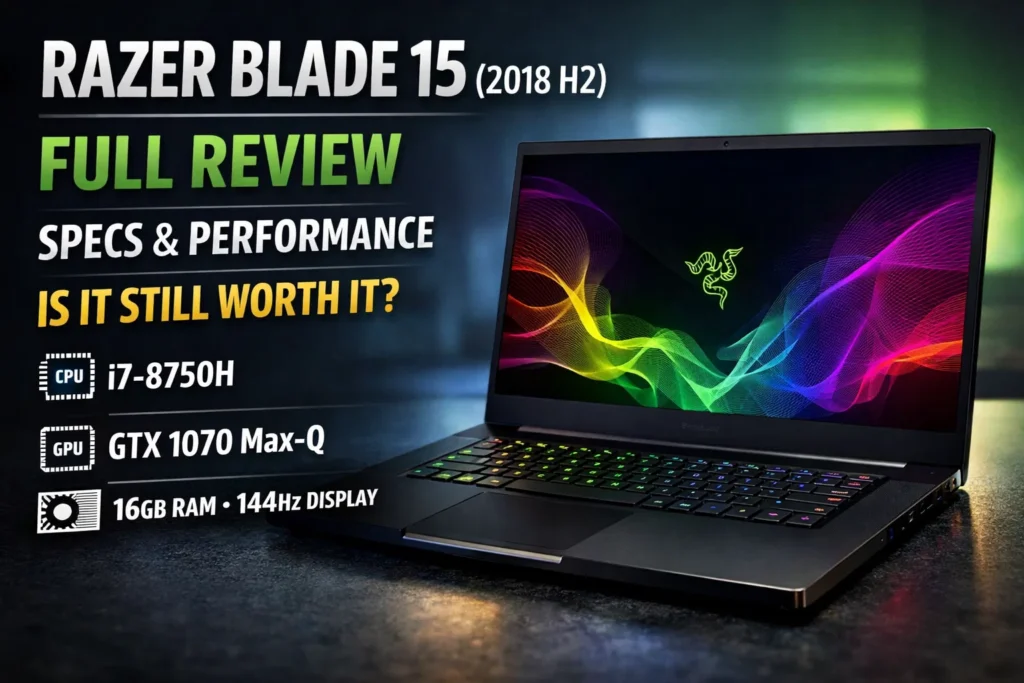

The Razer Blade 15 (2018 H2) holds a special place in the evolution of gaming laptops. Released during the second half of 2018, this model represented Razer’s continued effort to merge premium design, powerful performance, and portability into a single device. At a time when gaming laptops were often bulky and heavy, the Razer Blade 15 stood out for its slim aluminum chassis and high-end specifications.
Even years after its release, the Razer Blade 15 (2018 H2) is still discussed among gamers, creators, and tech enthusiasts who value build quality and performance longevity. This article provides a complete deep dive into the laptop’s design, specifications, performance, thermals, display, battery life, and whether it still makes sense today.
What Is the Razer Blade 15 (2018 H2)?
The Razer Blade 15 (2018 H2) is a premium gaming and productivity laptop launched by Razer as part of its Blade lineup. The “H2” designation refers to the second-half refresh of 2018, which introduced updated GPUs, improved displays, and refined thermal solutions compared to earlier versions.
It was designed for:
Hardcore gamers
Content creators
Professionals needing high performance in a portable form
Key Highlights of the Razer Blade 15 (2018 H2)
CNC-milled aluminum unibody design
Intel 8th-generation Core i7 processor
NVIDIA GeForce GTX 1060 Max-Q or GTX 1070 Max-Q
Thin bezels with a 15.6-inch display
High refresh rate display options
RGB backlit keyboard (Razer Chroma)
Design and Build Quality
Premium Aluminum Chassis
The Razer Blade 15 (2018 H2) features a CNC-milled aluminum body, similar to Apple’s MacBook Pro design philosophy but tailored for gamers. The matte black finish with the illuminated green Razer logo gave it a clean yet aggressive look.
Slim and Portable
At the time of release, the laptop was considered exceptionally thin for a gaming machine:
Thickness: ~0.68 inches
Weight: ~4.6 lbs (2.1 kg)
This made it highly portable compared to other gaming laptops of its era.
Durability
The rigid aluminum construction provided excellent durability, though the black finish was known to attract fingerprints and smudges.
Display Options
The Razer Blade 15 (2018 H2) came with multiple display configurations:
- Full HD (1920×1080) 144Hz
Ideal for competitive gaming
Smooth motion and fast response times
- Full HD 60Hz
Balanced for general use
Better battery efficiency
- 4K UHD (3840×2160) Touch Display
Excellent for creators
Sharp visuals and wide color coverage
Color Accuracy
The display panels were factory calibrated and offered:
High brightness
Excellent contrast
Wide color gamut (especially the 4K variant)
This made the laptop suitable not only for gaming but also for photo and video editing.
Performance and Hardware Specifications
Processor (CPU)
Most Razer Blade 15 (2018 H2) models were equipped with:
Intel Core i7-8750H
6 cores / 12 threads
Base clock: 2.2 GHz
Turbo boost up to 4.1 GHz
This CPU delivered strong multi-core performance for gaming, streaming, and creative workloads.
Graphics (GPU)
The laptop offered two primary GPU options:
NVIDIA GTX 1060 Max-Q (6GB GDDR5)
Efficient and balanced
Suitable for 1080p gaming
NVIDIA GTX 1070 Max-Q (8GB GDDR5)
Higher performance
Better for AAA titles and VR
Both GPUs supported:
DirectX 12
NVIDIA G-SYNC (select models)
VR-ready gaming
Memory (RAM)
16GB DDR4 (dual-channel)
Expandable up to 32GB
This ensured smooth multitasking and future upgrade flexibility.
Storage
256GB / 512GB PCIe NVMe SSD
Expandable M.2 slot
Fast SSD speeds significantly improved boot times and application loading.
Gaming Performance
1080p Gaming Experience
At Full HD resolution, the Razer Blade 15 (2018 H2) handled most games smoothly:
AAA titles: Medium to High settings at 60+ FPS
Esports titles: 100+ FPS easily
144Hz display: Fully utilized in competitive games
Thermal Throttling Considerations
Like many thin gaming laptops, the Blade 15 could experience thermal throttling under sustained heavy loads, but performance remained competitive for its form factor.
Cooling and Thermals
Vapor Chamber Cooling
Razer implemented a vapor chamber cooling system, which was advanced for its time. This allowed:
More even heat distribution
Reduced hot spots
Fan Noise
Audible under load
Quiet during light tasks
Users often adjusted fan curves using Razer Synapse for a balance between noise and cooling.
Keyboard and Trackpad
Keyboard
Individually backlit RGB keys
Powered by Razer Chroma
Decent key travel for a thin laptop
While not mechanical, the keyboard was comfortable for both gaming and typing.
Trackpad
Large precision glass trackpad
Smooth and accurate
Among the best in Windows laptops of its era
Ports and Connectivity
The Razer Blade 15 (2018 H2) offered a generous selection of ports:
3× USB-A 3.1
USB-C / Thunderbolt 3
HDMI 2.0
Mini DisplayPort
3.5mm audio jack
This made it suitable for external monitors, gaming peripherals, and docking setups.
Battery Life
Battery performance was decent but not exceptional:
Light use: 5–6 hours
Gaming: 1.5–2 hours
The powerful CPU and GPU naturally consumed more power, especially at higher refresh rates.
Audio and Webcam
Speakers
Front-facing speakers
Clear mids and highs
Bass was average
Webcam
720p webcam
Positioned at the top bezel (a major improvement over earlier models)
Software Experience
Razer Synapse
Razer Synapse allowed users to:
Control RGB lighting
Monitor system performance
Adjust fan profiles
Some users reported occasional software bugs, but overall functionality was strong.
Pros and Cons
Pros
Premium build quality
Slim and portable design
Strong gaming performance
Excellent display options
Upgradeable RAM and storage
Cons
Expensive at launch
Fingerprint-prone finish
Thermal management could be improved
Average battery life
Is the Razer Blade 15 (2018 H2) Still Worth It Today?
Who Should Consider It
Budget-conscious gamers buying used
Content creators valuing display quality
Users who prioritize build quality
Who Should Skip It
Those wanting ray tracing (RTX)
Users needing long battery life
Gamers seeking maximum thermal headroom
Razer Blade 15 (2018 H2) vs Modern Gaming Laptops
Compared to newer laptops:
Lacks RTX and DLSS
Still competitive for 1080p gaming
Superior build quality compared to many plastic designs
Final Verdict
The Razer Blade 15 (2018 H2) remains a milestone gaming laptop that helped redefine what a portable gaming machine could be. While newer models offer better performance and efficiency, this laptop still holds up as a stylish, capable, and well-built device.
For users who can find it at a reasonable price, the Razer Blade 15 (2018 H2) continues to deliver solid performance and premium aesthetics—even years after its release.