
Pinterest is not merely a social media platform; it is a visual discovery engine, a planning tool, and a repository of human aspiration. At the heart of this unique ecosystem lies its search function—a sophisticated gateway that transforms vague ideas into curated boards, actionable projects, and commercial intent. Unlike the keyword-centric queries of Google or the real-time chatter of Twitter, Pinterest search operates on a different paradigm: visual, intent-rich, and inspiration-led. This 3,000-word guide delves deep into the mechanics, strategy, and future of Pinterest search, offering insights for users, content creators, and marketers alike.
Part 1: Understanding the Psychology and Mechanics of Pinterest Search
1.1 The Search-for-Inspiration Mindset
When a user opens Pinterest, they are often in a “project” or “planning” state of mind. Their queries are not questions seeking answers (“What is the capital of France?”) but prompts seeking possibilities (“French country bedroom decor,” “Parisian aesthetic outfits,” “Charcuterie board ideas”). This commercial and inspirational intent is Pinterest’s goldmine. Searches are future-oriented—planning a wedding, remodeling a kitchen, finding a new hairstyle. This makes the platform a critical touchpoint in the consumer journey, long before a purchase decision is made.
1.2 How Pinterest Search Works: Beyond the Search Bar
The visible search bar is just the tip of the iceberg. Discovery happens through multiple, interconnected channels:
Keyword Search: The foundational layer. Users type in phrases, often long-tail and specific (“small balcony garden ideas for shade”).
Visual Search (Lens): Pinterest’s technological marvel. By tapping the camera icon, users can:
Scan physical objects: Point at a plant to identify it and get care tips.
Search with an existing photo: Upload a screenshot of a dress to find where to buy it or similar styles.
Use a section of a Pin: Select part of an image within a Pin to focus the search on that specific element (e.g., the chair in a living room photo).
Guided Search & Autocomplete: As you type, Pinterest suggests related queries, revealing popular search pathways and helping users refine their intent.
“More ideas like this” & Related Pins: Clicking on any Pin instantly unlocks an algorithmic waterfall of visually and contextually similar content, creating a seamless, endless discovery stream.
Board Recommendations: Pinterest analyzes the themes of your boards and suggests new ones to follow, effectively searching on your behalf.
1.3 The Algorithmic Symphony: How Pins Are Ranked in Results
Pinterest’s search ranking algorithm (constantly evolving, but guided by public principles) is a symphony of signals. Key factors include:
Pin Quality: High-resolution, vertical images (2:3 aspect ratio is ideal) with compelling, clear visuals perform best. Blurry, text-heavy, or watermark-laden images are demoted.
Relevance to Query: Does the Pin visually and contextually match the search term? This is determined by keywords in the Pin description, title, alt-text on the source website, and the content of the image itself (via computer vision).
Domain Quality & Freshness: Pins linking to websites that are authoritative, fast-loading, and mobile-friendly are favored. Recent Pins often get a boost for time-sensitive topics.
User Engagement & “Actionability”: This is critical. The algorithm prioritizes Pins that users not only click on but save (the most powerful signal), close-up on, and click through to the website. A save indicates a Pin is worth returning to, marking it as highly actionable.
Personalization: While less pronounced than on other platforms, results are subtly tailored based on a user’s past engagement, boards, country, and language.
Part 2: Mastering Pinterest Search: A Strategic Playbook
2.1 For the Power User: Finding Exactly What You Imagine
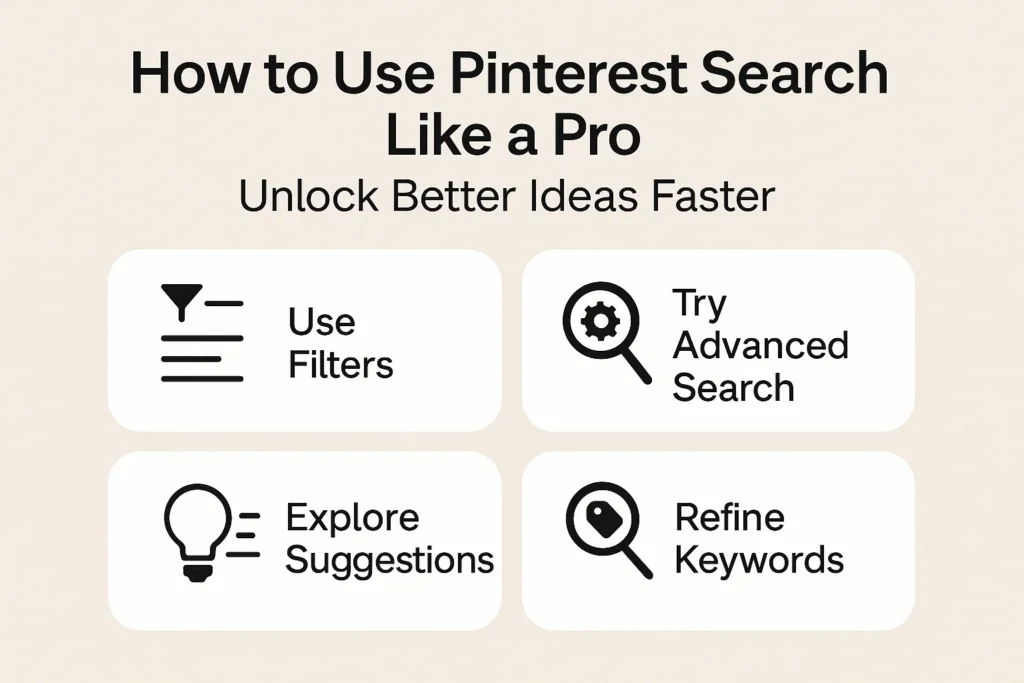
Embrace Specificity & Long-Tail Keywords: Start broad (“knitting”) but drill down instantly (“easy chunky knit blanket pattern for beginners free”). Use guided search to explore adjacent ideas.
Leverage Filters: After searching, use filters like “Ideas,” “Shopping,” “Collections,” “Videos,” and “Profiles” to narrow the content type. The “Shopping” filter is direct commercial intent.
Become a Lens Expert: Use Lens in stores to price-check or find DIY alternatives. Use it on vacation to identify architecture or flora. It’s the most underutilized superpower.
Follow the “Sparkle”: The “Explore” tab (sparkle icon) is Pinterest’s editorial and algorithmic front page. It’s a weather vane for emerging trends.
2.2 For the Content Creator & Marketer: SEO That’s Visual
Pinterest SEO is a discipline of its own. Success here drives sustained, “evergreen” traffic for months or years.
Keyword Research is Non-Negotiable: Use:
Pinterest’s own search bar and guided suggestions.
The “Trends” tool (trends.pinterest.com) to see rising trends by region and category.
Analyst tools like Pin Inspector or Tailwind’s analytics.
Optimize Every Asset:
Pins: Design for clarity and appeal in a fast-scrolling feed. Use text overlays wisely. Create multiple Pins for one blog post/product with different visuals and keywords to test appeal.
Descriptions: Write natural, keyword-rich descriptions (about 200-500 characters). Include a clear call-to-action (“Save for later,” “Get the tutorial”).
Alt-Text: If your website is the source, ensure every image has descriptive alt-text. Pinterest’s crawler uses this.
Board Titles & Descriptions: Create themed boards with clear, searchable titles and descriptions. They act as topical hubs that signal your authority to the algorithm.
Focus on Value & Actionability: The best-performing Pins solve a problem, teach a skill, or inspire a project. Tutorials, checklists, infographics, and step-by-step guides are gold.
Embrace Rich Pins: Implement code on your website to enable Product Pins (with real-time pricing/stock), Recipe Pins (ingredients, ratings), and Article Pins (headlines, authors). They increase credibility and click-through rates.
2.3 For the Business: From Discovery to Conversion
Pinterest directly bridges inspiration and purchase. The search strategy here is commercial.
Claim Your Website & Enable Shopping: The first step. Upload your product catalog to create shoppable Product Pins that appear in search and “Shopping” tabs.
Target Commercial Intent Keywords: Integrate terms like “buy,” “shop,” “sale,” “review,” “best,” “affordable” into your strategy alongside inspirational terms.
Use Pinterest Ads Strategically: Boost your best-performing organic Pins as ads. Use Promoted Pins in search results to capture high-intent moments. Utilize detailed targeting based on interests, keywords, and user demographics.
Analyze Search Analytics: Pinterest Business Analytics shows you what terms people use to find your Pins and profile. This is direct feedback on your SEO and market demand.
Part 3: The Evolution and Future of Pinterest Search
3.1 The Integration of AI and Computer Vision
Pinterest has been a pioneer in visual AI. Its “Pinterest Computer Vision” technology doesn’t just recognize objects (a dress) but attributes (style, color, pattern) and context (beach wedding). The future points towards:
Hyper-Personalized Visual Feeds: Search results that understand your unique aesthetic taste, not just your keywords.
Augmented Reality (AR) Search: Trying on makeup virtually via Pinterest’s “Try On” feature or placing virtual furniture in your room through your camera—all initiated by a search.
Multimodal Search: Combining voice (“show me ideas for this room”), image, and text in a single, fluid query.
3.2 The Rise of “Pinterest Predicts” and Proactive Discovery
Pinterest’s annual trend report, “Pinterest Predicts,” is remarkably accurate because it’s based on early search data—what people are planning before it’s mainstream. This positions Pinterest not just as a reactive search tool, but a predictive discovery platform. The future may see the platform proactively pushing “idea streams” to users based on life events (e.g., “Just bought a home? Here’s your first-year project guide”).
3.3 Challenges and Considerations
Content Freshness vs. Evergreen Value: Balancing new Pins with the long shelf-life of high-performing old ones is a constant algorithm challenge.
Commercialization Balance: Maintaining user trust as shopping features become more prominent is crucial. The experience must feel inspirational first, transactional second.
Misinformation: Like all platforms, Pinterest grapples with curating safe and accurate content, especially in areas like health and wellness.
Conclusion: The Search for a Better Version of Tomorrow
Pinterest search is ultimately a tool for self-actualization. It helps users move from a state of desire (“I want a more beautiful home”) to a state of planning and action, one saved Pin at a time. For businesses, it represents a uniquely qualified audience, already in a mindset of consideration and acquisition.
Mastering Pinterest search, whether as a user, creator, or marketer, requires a shift in perspective. It’s not about shouting for attention in a noisy feed; it’s about quietly, consistently, and visually placing the right solution in front of someone at the exact moment they are dreaming up their next project. It is the digital equivalent of organizing the world’s inspiration into perfectly labeled drawers—and the search bar is the key that unlocks them all.