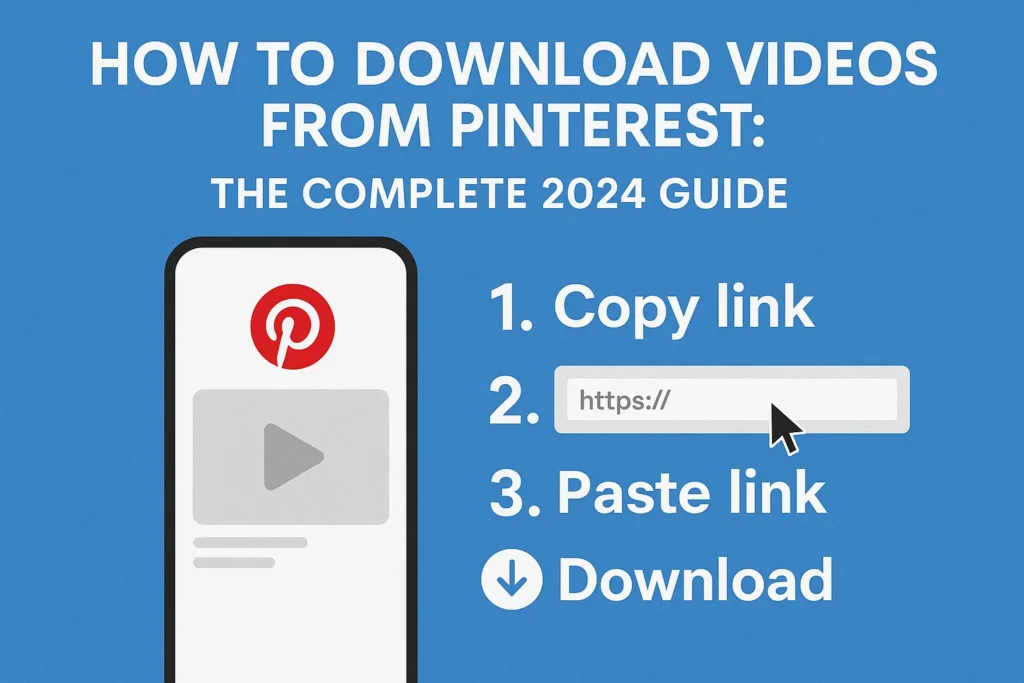

In today’s digital landscape, visual content reigns supreme, and Pinterest has emerged as a cornerstone of this visual revolution. Founded in 2009, Pinterest has grown into a massive pinboard-style platform with over 450 million monthly active users worldwide. This platform allows users to discover, save, and organize ideas through “pins” – images, videos, and links to external content. Over recent years, video content on Pinterest has exploded in popularity, with “Idea Pins” and standard video pins showcasing tutorials, DIY projects, recipes, fashion inspiration, and more captivating millions daily.
As users encounter these compelling videos, a common question arises: Can I download Pinterest videos for offline viewing or personal use? This inquiry has given birth to the “Pinterest video downloader” phenomenon – a complex ecosystem of tools, methods, and ethical considerations. This comprehensive 3,000-word guide will explore every aspect of Pinterest video downloading, examining the technical mechanics, legal boundaries, practical methods, inherent risks, and responsible best practices for digital citizens.
Part 1: Understanding Pinterest’s Technical Architecture and Download Challenges
Pinterest operates differently from traditional social media platforms from a technical perspective. It functions primarily as a content aggregator and discovery engine, with most pins linking to external websites. However, Pinterest has also developed its own robust video hosting infrastructure for videos uploaded directly to the platform.
How Pinterest Stores and Serves Videos:
When a creator uploads a video directly to Pinterest, the platform:
Processes and encodes the video into multiple resolutions
Stores it on secure content delivery networks (CDNs)
Generates unique, dynamic URLs for video playback
Often segments longer videos into smaller chunks for efficient streaming
The Core Downloading Challenge:
Pinterest intentionally does not provide a native “download” button for most video content (except the “Save” feature within the mobile app, which merely bookmarks content within Pinterest’s ecosystem). This design serves several purposes:
Copyright protection: Preventing unauthorized redistribution of creators’ content
Platform retention: Keeping traffic and engagement within Pinterest
Analytics integrity: Ensuring accurate tracking of creator content performance
Monetization: Supporting Pinterest’s business model and creator partnerships
The technical implementation is equally restrictive:
Dynamic loading: Videos often load progressively using complex JavaScript
Stream segmentation: Many videos use m3u8 playlists with multiple .ts segments rather than single MP4 files
Obfuscated URLs: Video source URLs are often temporary, encrypted, or dynamically generated
Right-click restrictions: The standard browser “Save video as” option is typically disabled
This combination of intentional design choices and technical implementation creates significant hurdles for users seeking to download Pinterest videos through conventional means.
Part 2: The Legal and Ethical Landscape: Navigating a Digital Gray Zone
Understanding the legal and ethical dimensions is arguably the most crucial aspect of the Pinterest video downloading conversation. This area exists in a complex gray zone with important implications.
Copyright Law Fundamentals:
Creator ownership: The original creator retains copyright to their video content
Pinterest’s Terms of Service: Explicitly prohibit downloading, copying, or redistributing content without permission (Section 6 of Pinterest’s Terms)
Platform licensing: When users upload content to Pinterest, they grant Pinterest a license to display and distribute it, but this license doesn’t extend to other users
Ethical Considerations:
Creator compensation: Many creators earn income through Pinterest views and engagement. Downloading content circumvents their monetization
Analytics impact: Downloads don’t contribute to a creator’s view counts or engagement metrics, potentially affecting their growth and opportunities
Creative labor recognition: Videos represent significant investment of time, skill, and resources by creators
Fair Use Doctrine – A Limited Exception:
The “fair use” provision of copyright law allows limited use of copyrighted material without permission for purposes such as:
Criticism and commentary
News reporting
Teaching and education
Research and scholarship
However, fair use is determined by four factors:
Purpose and character of use (commercial vs. transformative)
Nature of the copyrighted work
Amount and substantiality used
Effect on the potential market
Important note: Downloading entire videos for personal offline viewing rarely qualifies as fair use under current legal interpretations.
The Golden Rule:
Always seek explicit permission from the creator before downloading their content. If a video includes contact information, reach out respectfully. If there’s no response, err on the side of not downloading.
Part 3: Methods for Downloading Pinterest Videos (Technical Approaches)
Educational disclaimer: This information is provided for technical understanding only. Users must ensure compliance with all applicable laws and platform terms.
Method 1: Online Web-Based Downloaders (Easiest but Riskiest)
These third-party websites accept Pinterest video URLs and provide download links.
How they work:
Copy the Pinterest video URL (from the “Share” option)
Paste into the downloader website’s input field
The service scans for video sources and generates download options
Select desired quality and download
Popular examples: SaveFrom.net, PinteresvideoDownloader.net, GetPinteresVideo.com
Pros:
No software installation required
Usually free and straightforward
Accessible from any device with a browser
Cons:
Security risks: Many sites contain malicious ads, pop-ups, or malware
Privacy concerns: Your IP address and browsing data may be tracked and sold
Unreliability: Sites frequently stop working as Pinterest updates its platform
Quality limitations: Often limited to lower resolutions
Method 2: Browser Extensions (Convenient but Permission-Heavy)
Add-ons for Chrome, Firefox, or Edge that add download buttons directly to Pinterest pages.
How they work:
Install extension from browser store
Navigate to Pinterest video
Extension adds a download button overlay
Click to download directly
Popular examples: “Pinterest Video Downloader” extensions
Pros:
Integrated directly into browsing experience
Often more reliable than web-based tools
May offer batch downloading options
Cons:
Excessive permissions: Often request access to all website data
Browser performance: Can slow down browser speed
Update dependency: May break when Pinterest changes its code
Source reliability: Unofficial extensions may contain malware
Method 3: Desktop Software Applications (Powerful but Complex)
Dedicated programs installed on Windows, Mac, or Linux computers.
How they work:
Download and install software from official source
Copy Pinterest video URL(s)
Paste into application interface
Configure download settings and execute
Popular examples: 4K Video Downloader, JDownloader 2, yt-dlp (command-line tool)
Pros:
High download speeds and reliability
Batch downloading capabilities
Multiple format and quality options
Often support other platforms beyond Pinterest
Cons:
Installation required: Takes up system resources
Learning curve: More complex than web-based options
Security risk: Only download from verified official sources
Potential cost: Some software requires payment for full features
Method 4: Mobile Apps (Smartphone Convenience)
Applications available on Google Play Store or Apple App Store.
How they work:
Install app from official store
Share Pinterest video link to the app
App processes and downloads video to device storage
Pros:
Mobile-optimized experience
Direct saving to phone gallery
Often simple interface
Cons:
Excessive permissions: May request unnecessary device access
In-app ads: Often ad-supported with intrusive advertising
Effectiveness varies: Many apps don’t work consistently
Storage consumption: Takes up phone storage space
Method 5: Developer Tools / Browser Inspector (Technical Users)
Advanced method using browser developer tools.
Step-by-step process:
Open Pinterest video in browser
Right-click page → “Inspect” or “Inspect Element”
Navigate to “Network” tab
Filter by “Media” or search for “.mp4” or “m3u8”
Play the video to see network requests
Find the video file request, right-click → “Open in new tab”
Save from the new tab
Pros:
No third-party tools required
Maximum control over the process
Educational for understanding web technology
Cons:
Technical complexity: Requires web development knowledge
Time-consuming: Can take several minutes per video
Fragile: Breaks easily with Pinterest updates
Limited quality options: May only find one resolution
Part 4: Step-by-Step Practical Guide (Educational Example)
Scenario: You have explicit permission from a creator to download their Pinterest video for personal offline reference.
Using a Web-Based Downloader (With Precautions):
Enable security measures:
Ensure your antivirus software is updated
Install/activate an ad blocker extension
Consider using a VPN for privacy
Locate the Pinterest video:
Navigate to the specific video pin on Pinterest
Click the share icon (usually three dots or an arrow)
Select “Copy link” or “Copy URL”
Select a download service:
Research recent reviews of various services
Choose one with positive recent feedback
For this example, we’ll use a hypothetical “PinterestDownloadHelper.com”
Execute the download:
Navigate to the downloader website
Paste the copied URL into the input field
Click “Download” or similar button
Select desired video quality if options appear
Wait for processing to complete
Complete the download safely:
Once the download button appears, click it
Your browser will download the file
Immediately navigate away from the downloader site
Scan the downloaded file with antivirus software before opening
Safety Protocols During This Process:
Never disable your ad blocker on these sites
Close any pop-up windows immediately without interaction
Don’t download any “required plugins” or “video players”
Never enter personal information or Pinterest login credentials
Use a disposable or secondary email if registration is required
Part 5: Comprehensive Risk Analysis and Security Measures
Primary Risks of Using Pinterest Video Downloaders:
- Malware and Viruses:
Trojans and ransomware disguised as video files or downloader software
Browser hijackers that modify browser settings without permission
Cryptojacking scripts that use your device’s resources to mine cryptocurrency
- Privacy and Data Security Threats:
IP address tracking leading to targeted ads or profiling
Data harvesting of your browsing habits and interests
Phishing attacks through fake Pinterest login pages
Identity theft if personal information is entered
- Legal and Account Risks:
Copyright infringement notices or DMCA takedown requests
Pinterest account suspension for violating Terms of Service
Potential legal action from copyright holders (especially for commercial use)
- Technical and Performance Issues:
Browser corruption from malicious extensions
System slowdown from resource-heavy downloader software
Unreliable downloads (corrupted files, wrong videos, partial downloads)
Essential Security Measures:
- Antivirus and Security Software:
Maintain updated antivirus protection
Use anti-malware scanners like Malwarebytes regularly
Enable real-time protection features
- Browser Security Enhancements:
Install reputable ad blockers (uBlock Origin, AdBlock Plus)
Use privacy-focused browsers or extensions
Regularly clear cookies and cache from downloader sites
Disable JavaScript on untrusted sites when possible
- Network Protection:
Use a reputable VPN service to mask your IP address
Avoid public Wi-Fi when accessing downloader sites
Consider using a virtual machine for risky downloads
- Verification Practices:
Research tools extensively before use
Check for HTTPS encryption on downloader sites
Verify developer credentials for apps and extensions
Read recent user reviews and forum discussions
- Ethical Verification:
Confirm you have download rights for the content
Document permission from creators when obtained
Limit downloads to personal, non-commercial use
Attribute creators when using downloaded content in any public context
Part 6: Alternative Solutions and Best Practices
Before resorting to third-party downloaders, consider these legitimate alternatives:
Pinterest’s Native Features:
- The “Save” Function:
On mobile apps: Tap the three dots → “Save pin”
On desktop: Click the red “Save” button
Creates a copy in your private boards for later viewing
Supports creators through proper analytics tracking
- Pinterest Collections:
Organize saved videos into thematic collections
Accessible across all your devices when logged in
Functions as a personalized video library within Pinterest
- Idea Pin Features:
Some Idea Pins offer native download options for templates
Look for “Use template” or “Download” buttons within the pin
These are officially sanctioned by creators
Creator-Directed Approaches:
- Direct Contact:
Message creators through Pinterest or their linked social media
Politely request offline access or alternative download options
Many creators are happy to provide content directly to engaged followers
- Alternative Platforms:
Many Pinterest creators also publish on YouTube, Vimeo, or personal websites
These platforms often have legitimate download options or offline viewing
Support creators by engaging with their content on multiple platforms
- Collaboration Requests:
For educational or professional use, propose formal collaboration
Offer proper attribution and exposure in exchange for content usage
Many creators appreciate mutually beneficial partnerships
Technical Alternatives:
- Screen Recording (With Permission):
Built-in tools: Windows Game Bar (Win+G), macOS QuickTime Player
Dedicated software: OBS Studio (free), Camtasia (premium)
Crucial: Only with explicit creator permission and proper attribution
- Bookmarking Services:
Save Pinterest links to services like Pocket, Raindrop.io, or Instapaper
Some services offer offline access to saved web content
Maintains the original source and supports creators
- Pinterest Board Organization:
Create specialized boards for different video types
Use detailed descriptions and sections for easy retrieval
Pinterest’s algorithm will suggest similar content over time
Best Practices Summary:
Permission First: Always seek explicit consent from content creators
Platform Features: Maximize use of Pinterest’s native save and organization tools
Creator Support: Engage with content through likes, comments, and shares to support creators within the platform
Ethical Consumption: If you must download, ensure it’s for personal use with no redistribution
Attribution: Always credit original creators when showing downloaded content to others
Commercial Avoidance: Never use downloaded content for commercial purposes without formal agreements
Security Priority: Implement robust security measures before using any third-party tools
Legal Awareness: Stay informed about copyright law developments in your jurisdiction
Conclusion: Responsible Digital Citizenship in the Visual Age
The world of Pinterest video downloading represents a microcosm of broader digital dilemmas: the tension between access and ownership, convenience and security, personal use and creator rights. As visual content continues to dominate our digital experiences, these questions will only grow more pressing.
What emerges from this comprehensive analysis is that there are no simple answers, only informed choices. The tools and methods exist, but they come wrapped in layers of ethical complexity and potential risk. The most sustainable approach balances our desire for content access with respect for the creative ecosystem that produces that content.
The Path Forward:
Advocate for Better Official Solutions: Support Pinterest’s development of legitimate download options with proper creator compensation models.
Educate Others: Share knowledge about copyright and digital ethics within your communities.
Support Creators Directly: When you find valuable content, support creators through their preferred channels – purchases, donations, or platform engagement.
Prioritize Security: Never compromise device security for content access. The risks often outweigh the benefits.
Embrace the Pinterest Philosophy: Remember that Pinterest is ultimately about discovery and inspiration. Sometimes the joy is in the finding, not the keeping.