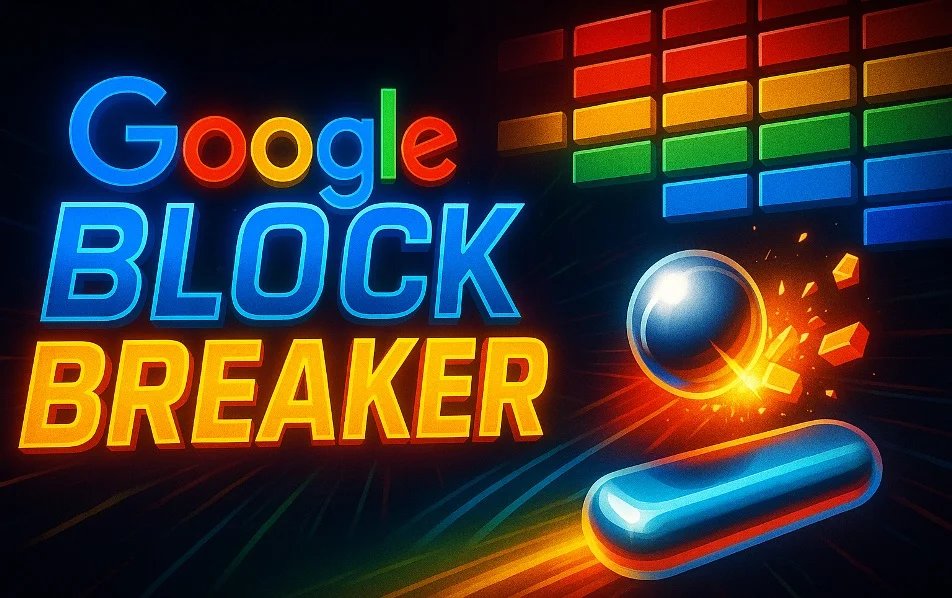

In the world of digital entertainment, some games achieve legendary status because of their simplicity and addictive gameplay. One such category is brick-breaker games—easy to learn, visually appealing, and endlessly entertaining. Among the many versions of this classic genre, Google Block Breaker stands out due to its accessibility, modern design, and Google’s signature surprises in the form of Easter eggs and hidden games.
Google is well-known for hiding interactive mini-games inside its search engine. These small games are designed to offer quick entertainment without requiring any installation. Google Block Breaker is one of those games that users discover accidentally and end up playing for hours. It is a modern, web-based adaptation of the classic Breakout and Arkanoid games from the golden age of arcade gaming.
This article explores everything you need to know about Google Block Breaker—its history, gameplay, mechanics, features, strategies, technical structure, and why it remains so popular even today.
- History of Google Block Breaker
1.1 Origins: Breakout and Arkanoid
To understand Google Block Breaker, we must go back to the beginning.
In 1976, Atari released a simple but fun game called Breakout, associated with tech icons Steve Jobs and Steve Wozniak.
In 1986, Taito released Arkanoid, enhancing the Breakout formula with power-ups, better physics, and creative level designs.
These classics laid the foundation for the brick-breaker genre that inspired later developers, including Google.
1.2 Google’s Experiments with Mini-Games
Google has a long history of hiding mini-games inside its search engine. Some popular examples include:
Snake Game
Dinosaur (Chrome No-Internet game)
Pac-Man Google Doodle
Google Cricket (in mobile search)
“Google Block Breaker” came into existence as a hidden Easter egg. Users could type “Atari Breakout” in Google Images, and the image results would transform into a playable brick-breaker game.
1.3 Evolution into Web and Mobile Versions
Over time, thanks to HTML5 and JavaScript, Google and independent developers modernized this game. The new versions run smoothly on:
Desktop browsers
Mobile phones
Tablets
No flash player, no plugins, no installation—just instant fun.
- What is Google Block Breaker?
Google Block Breaker is a browser-based brick-breaker game where the player controls a paddle at the bottom of the screen. The objective is to bounce a ball upward to break blocks and clear the level. Each broken block adds points, and each level introduces new challenges.
It is easy enough for beginners, yet challenging enough to keep skilled players hooked.
- Gameplay Mechanics
3.1 Paddle Control
You can control the paddle using:
Mouse movement (PC)
Keyboard arrows (optional in some versions)
Touch controls (mobile)
3.2 Ball Physics
The ball is the heart of the game.
Its behavior depends on:
Speed
Angle of collision
Where it hits the paddle
Type of brick it strikes
The ball becomes faster as you progress, increasing the difficulty.
3.3 Types of Bricks
Standard bricks – break in one hit
Multi-hit bricks – require multiple strikes
Steel bricks – unbreakable obstacles
Power-up bricks – drop bonuses when broken
3.4 Power-ups
Power-ups make the game dynamic and unpredictable. Popular ones include:
Multi-ball – increases the number of balls
Extended paddle – makes control easier
Laser paddle – allows you to shoot bricks
Slow ball – reduces ball speed
Sticky paddle – ball sticks for precise aiming
Shield – protects the bottom edge
These power-ups add layers of strategy to every level.
- Why Google Block Breaker Became So Popular
4.1 Nostalgia with a Modern Touch
Players who grew up with classic arcade games experience nostalgia, while new players enjoy a modern web-friendly version.
4.2 No Installation Required
You can simply open Google and start playing instantly.
No downloads, no updates, no registration.
4.3 Highly Addictive Nature
The game combines skill, timing, reflexes, and luck—making it nearly impossible to play just once.
4.4 Great for Short Breaks
A single level lasts a couple of minutes, making it ideal for:
Coffee breaks
School breaks
Office stress-relief
Travel boredom
4.5 Works on Every Device
Whether you’re on Android, iPhone, Windows, macOS, or ChromeOS—the game runs smoothly.
- How to Play Google Block Breaker
Step-by-Step Guide
Open Google.com
Search: “Atari Breakout” or “Google Block Breaker”
Select a playable version (official or third-party)
Press “Play”
Move the paddle left and right
Don’t let the ball fall
Break all blocks
Advance to new levels
- Winning Strategies for Google Block Breaker
6.1 Keep the Paddle Near the Center
This gives you more reaction time as the ball bounces around.
6.2 Learn the Edge Hit Technique
Hitting the ball on the edges of the paddle changes the ball’s direction sharply.
This helps reach hard-to-hit bricks.
6.3 Power-up Management
Not every power-up is helpful.
Avoid:
Speed Boost (makes the ball too fast)
Grab:
Extended Paddle
Slow Ball
Multi-ball
Laser
6.4 Target Difficult Areas First
Focus on:
Corners
Multi-hit bricks
Narrow spaces
These spots become harder to reach as the ball gets faster.
6.5 Keep Your Eyes on the Lowest Ball
During multi-ball power-up, only one ball needs to survive.
Always focus on the lowest one to stay alive.
- Technical Aspects of the Game
7.1 Runs on HTML5 and JavaScript
Modern versions are built using:
HTML5 Canvas
JavaScript
CSS animations
WebGL for advanced visuals
7.2 Smooth Rendering
With requestAnimationFrame, animations run at optimal speed even on low-end devices.
7.3 Physics Engine
Collision detection is done using algorithms that calculate:
Ball direction
Paddle angle
Brick boundaries
7.4 Cross-Device Compatibility
The game adjusts to different resolutions to maintain consistent gameplay.
- How Google Block Breaker is Developed
Development Steps
Concept Design
Canvas Setup
Ball and Paddle Physics
Collision Detection
Level Design
Power-up Programming
Sound Integration
UI/UX Polish
Browser Optimization
Google’s version follows lightweight coding practices so the game loads fast even with slow internet.
- User Experience (UX)
9.1 Clean and Minimalistic Design
Google’s simplicity makes the game easy on the eyes.
9.2 Responsive Controls
Players feel in control, thanks to precise paddle movement.
9.3 Smooth Animations
Even fast-paced ball movements feel natural.
9.4 Stress-relief + Challenge Combo
The game is both relaxing and exciting, which keeps players engaged.
- Educational Value of Google Block Breaker
10.1 Enhances Reflexes
Players improve:
Reaction speed
Timing
Coordination
10.2 Teaches Basic Physics
Such as:
Angle reflection
Speed
Impact force
10.3 Helps Coding Beginners
Brick-breaker games are often used as beginner projects to learn:
JavaScript logic
Game physics
Animation loops
10.4 Cognitive Skill Development
Improves:
Focus
Strategic thinking
Decision-making
- Relevance in Today’s Gaming World
Modern gaming is dominated by high-end 3D games, but Google Block Breaker remains relevant because:
It loads instantly
It is free
It works offline in some versions
It is perfect for short playing sessions
It appeals to all age groups
Classic games never truly die—they evolve.
- Alternatives to Google Block Breaker
Here are popular alternatives:
Arkanoid
Breakout Reborn
Brick Breaker Hero
DX-Ball
Classic Breakout Remake
Smashy Brick
These games offer unique themes, power-ups, and level designs.
- Future Possibilities for Google Block Breaker
We may see upgrades like:
3D Block Breaker versions
Multiplayer mode
AR (Augmented Reality) gameplay
VR brick-breaking experience
Google Play Games achievements
Global leaderboards
Google may also release newer versions as part of special events or Google Doodles.
Conclusion
Google Block Breaker is more than a simple arcade game—it is a modern interpretation of a timeless classic. It brings together nostalgia, creativity, accessibility, and technology to deliver a smooth and entertaining experience. Whether you’re taking a quick break, improving your reflexes, or simply revisiting classic arcade fun, Google Block Breaker is the perfect choice.
Its simple rules, increasing difficulty, colorful blocks, and unpredictable ball physics make it a game that anyone can enjoy—anytime, anywhere.